
HTML > MD
Ask Claude to show you.

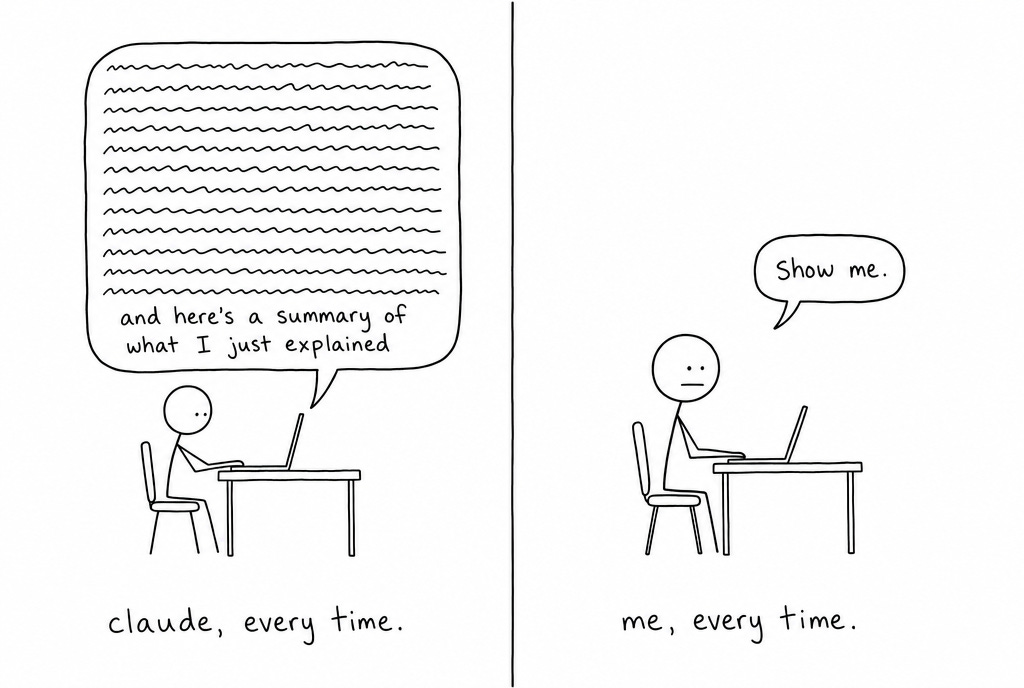
I say the same two words to Claude 12+ times in one day.
"Show me."
The work existed. I just couldn’t see it with the wall of text that Claude would give me.
So I went and counted. Across 2,152 session transcripts and 15,109 prompts I had typed over 45 days, "show me" was my single most repeated phrase.
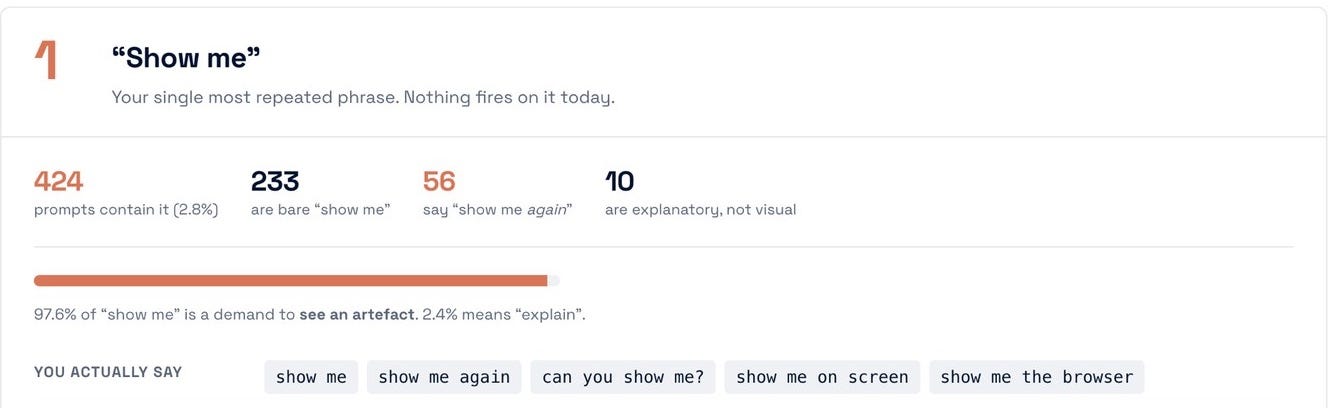
Three hundred repeats of the same two words isn’t a habit worth having.
Why it (actually) kept happening
The reason it kept happening was the format. Every answer arrived as Claudish, and Claudish is the one thing you can’t scan. I’m a visual guy, so I like to see things in front of me instead of reading chunks of text.

Someone at Anthropic wrote up the same problem in May, and that post has since done 14.6 million views and gone up on the official Claude Blog. It’s right, and I think most people took the wrong thing from it.
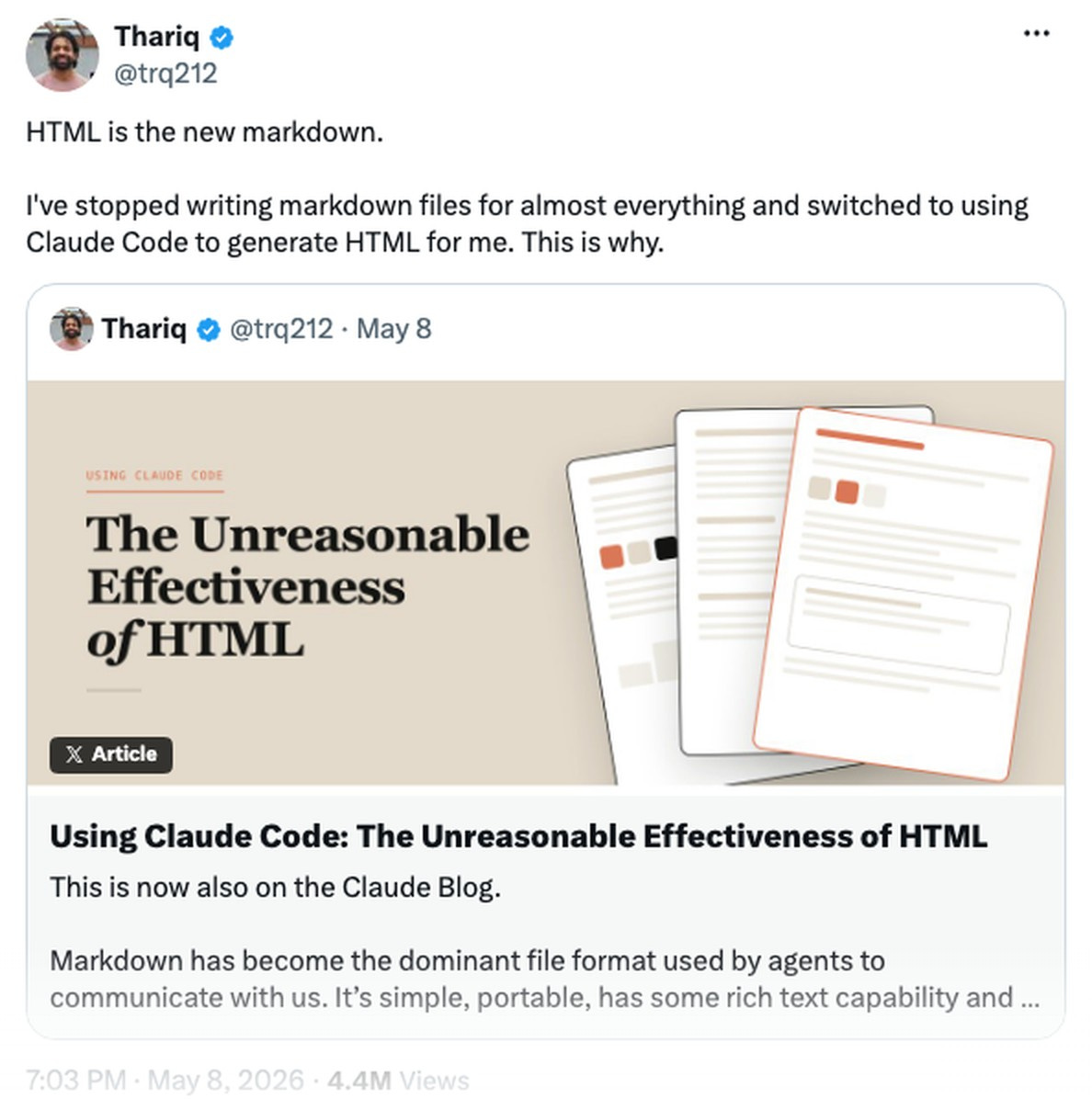
The read I kept seeing was "stop writing Markdown". People started converting their CLAUDE.md into HTML. That’s the one place it makes you actively worse off.
Here’s how I’m thinking about the split:
Markdown is what goes IN to the model.
HTML is what should come OUT of it, for you.
Drawn out, it’s this simple.
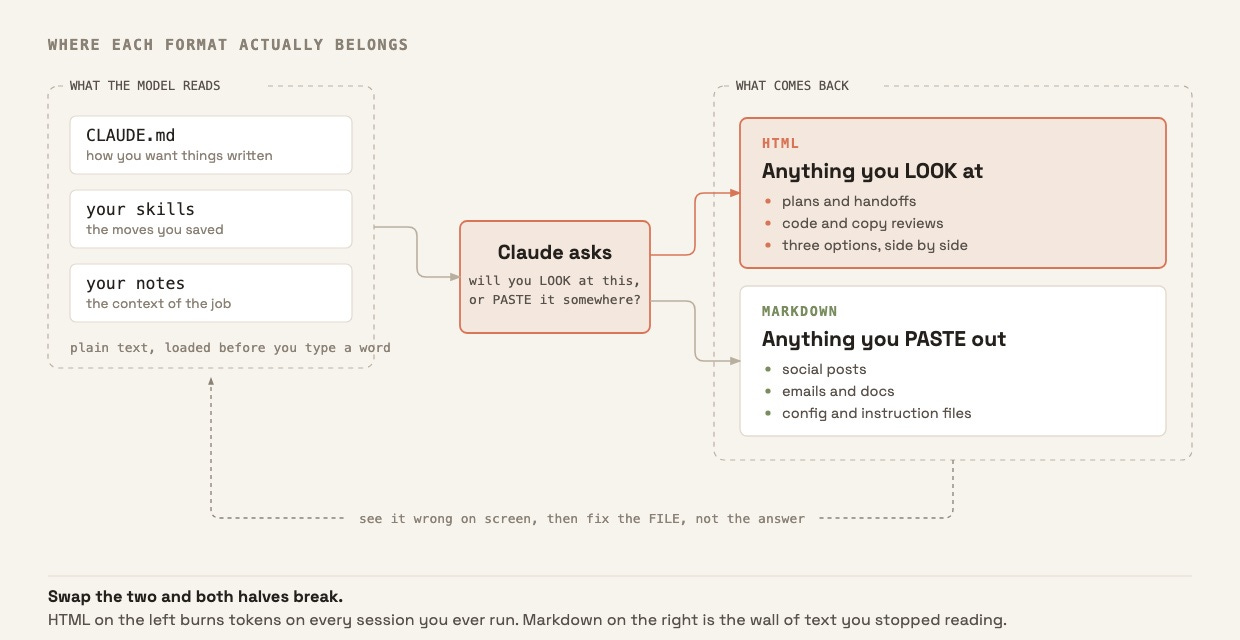
Put HTML in your config and you pay for it on every session you ever run.
Put Markdown on your screen and you get the wall of text you stop reading.
Last week was the other half of that audit, on the instructions themselves.

I walk through the whole setup in the video below, if you’d rather watch than read.
Markdown in, HTML out
Your CLAUDE.md is read before you type anything, on every session. Anthropic’s docs are blunt about what that costs:
"CLAUDE.md files are loaded into the context window at the start of every session, consuming tokens alongside your conversation."
Markdown is the leanest format Claude reads. HTML is the same content wrapped in tags that cost you tokens and buy nothing at all.
It’s called CLAUDE.md for a reason. There’s no CLAUDE.html.
When you ask Claude to build something, it reads all those Markdown files first. Then it has to tell you what it’s about to do.
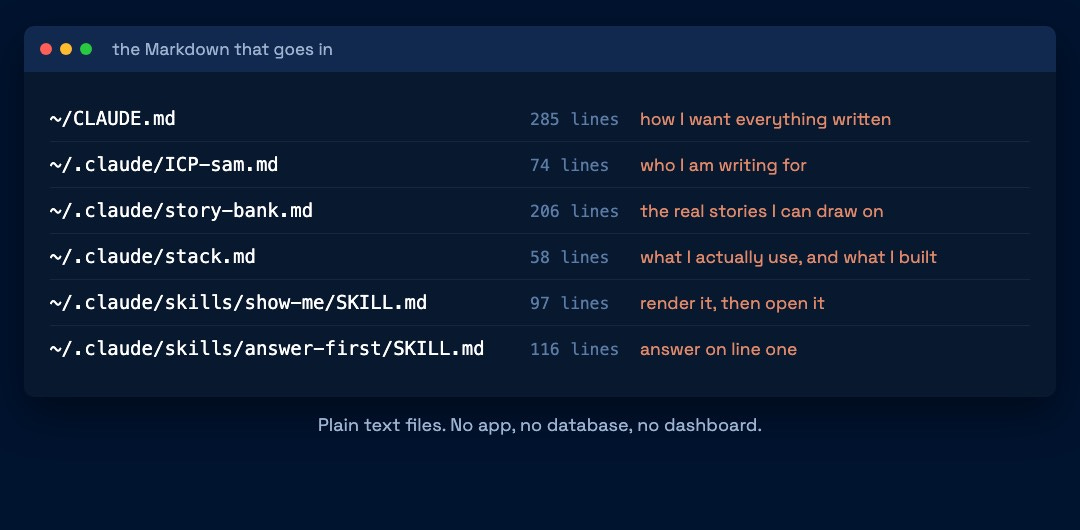
That’s the moment it should switch, since the thing reading it is no longer a model with infinite patience but a human being with about four seconds of it.
Ask for a plan in the terminal and you get a wall of text to parse.
Ask for it as HTML and you get something you can scan.
For example, I’m doing lots of speaking over the next month, so I asked Claude to present me a visual plan. Now I can look at this at a glance and clearly understand my commitments.
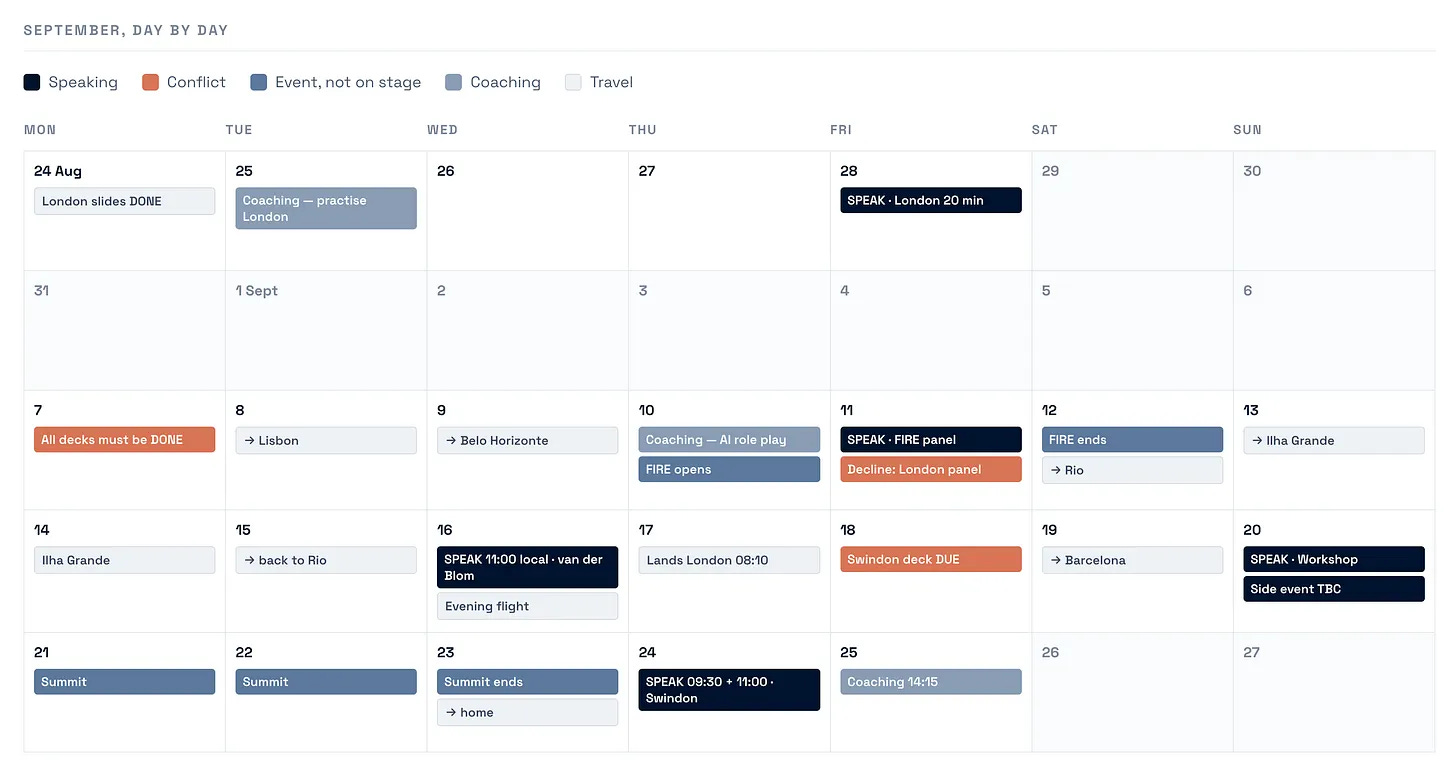
I didn’t type any of those dates in.
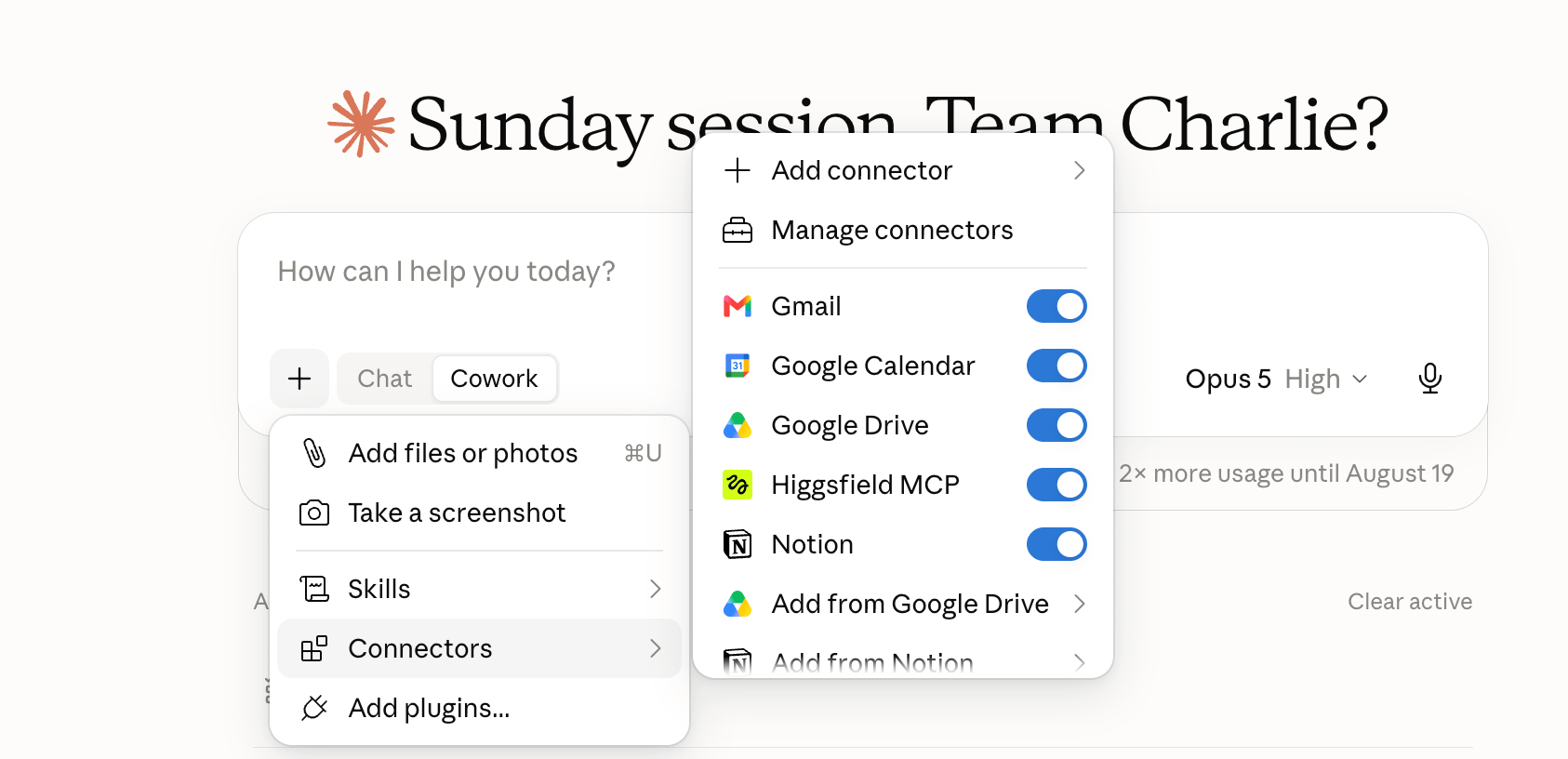
Claude pulled them live out of my emails and my meeting transcripts, using Claude connectors. That’s the setting in Claude that lets it read from an app you already use, like Gmail or your calendar. I asked for the plan, and it went and got the data itself.
Type this in Claude Code
Read my calendar and my inbox for the next 30 days. Build a single HTML file: a Mon-to-Sun month grid, one cell per day, every commitment as a coloured chip. Work out the categories from what you find and put a legend across the top. Mark any double-booking in red, and flag any deadline that has no prep time blocked before it. Open it when it is done.You need connectors switched on for that one, and nothing else. It reads the dates itself, so the only thing you are supplying is the shape you want them in.
It’s the same information. The difference is who is reading it.
Here’s another example I built this week.
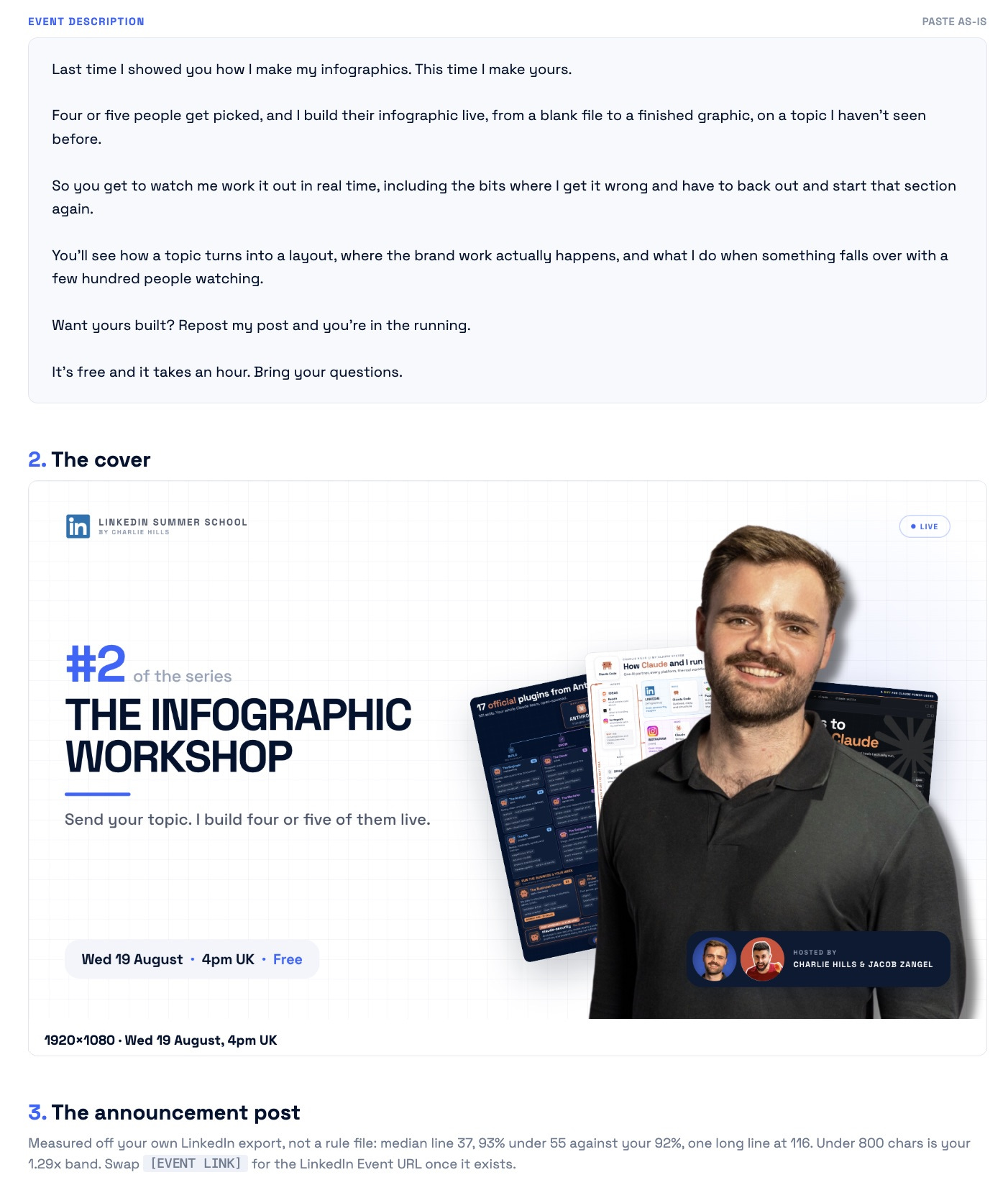
That’s a real plan for a LinkedIn event I’m hosting this Wednesday.
The event description is written out in my voice, ready to paste. The cover is specced underneath it, sized and dated, with the file already sitting where I need it.
Everything was generated with Claude Code (even the image).
Type this in Claude Code
Build me a single HTML page for this event. The description written out ready to paste at the top, the cover image specced underneath it with exact pixel dimensions and the date on it, then a run of show as a timed table. Anything I still have to decide goes in a red block at the bottom. Open it when it is done.You might have seen my infographics on LinkedIn. I’ve been designing them all programmatically with Claude Code (no designer, Canva or Figma).
I’m hosting a free LinkedIn live this Wednesday to show you how.
This time I’m going to be designing 4 infographics for you.
1. I’ll randomly select 4 people who repost this
2. I get two minutes to analyse each profile
3. You leave with a finished LinkedIn post
If you want me to build an infographic for you live.
Repost this, and I’ll randomly select four people on Wednesday.

What (most) people get wrong here
This is the cheapest upgrade you can make, and it only works once your output is visual.
Never ask for a version. Ask for variations, then pick.
When the output was terminal text this was useless. Comparing three walls of text is worse than reading one. When the output is HTML I can put three side by side, choose in about two seconds, and paste the choice back in.
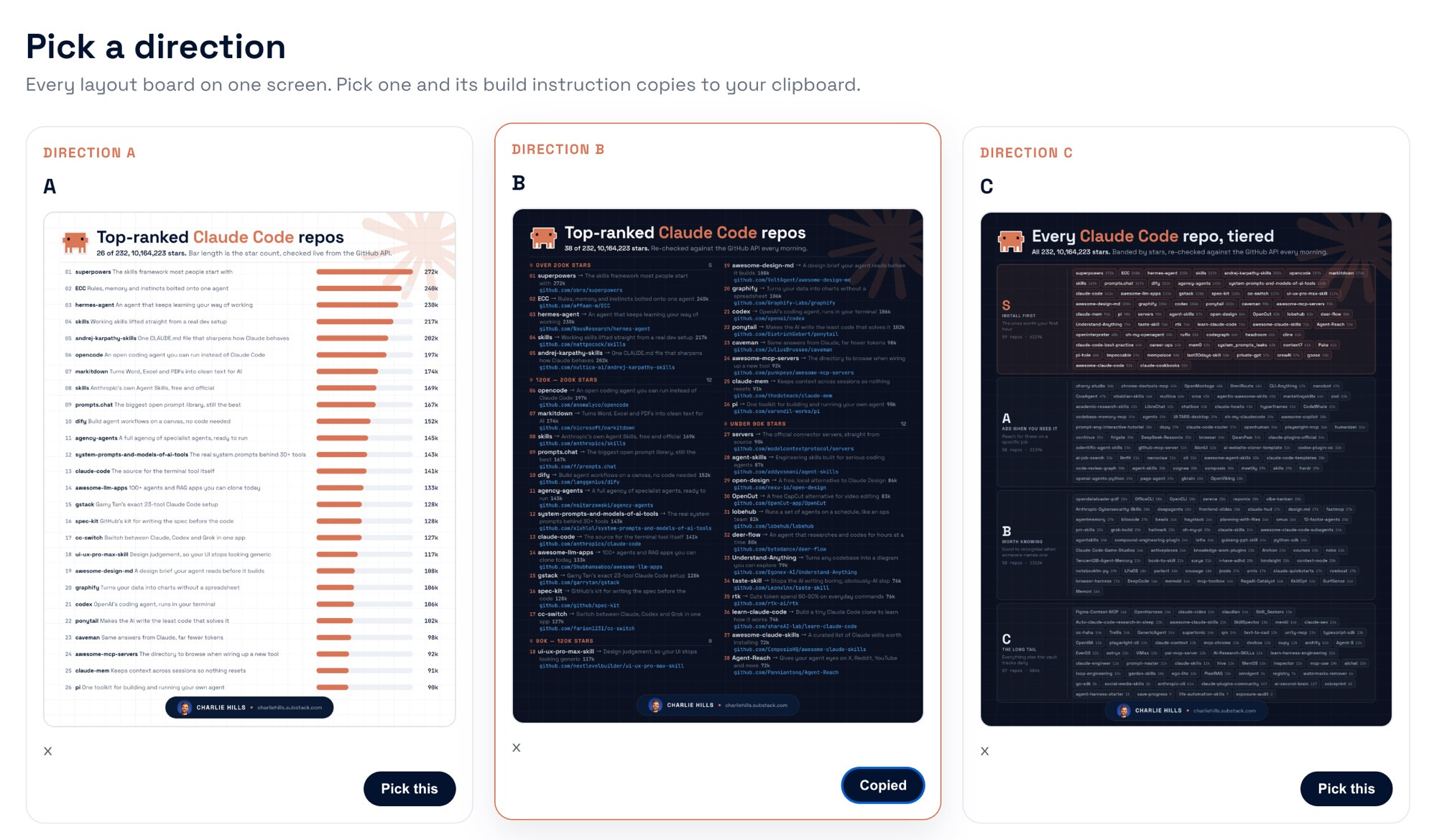
You get three finished boards on one screen. You read them in about four seconds, click the one you want, and the build instruction are copied to your clipboard.
Type this in Claude Code
Build three versions of this graphic and put them on one HTML page side by side, same size, so I can compare them at a glance. Under each one add a pick button that copies the build instruction for that version to my clipboard. Do not describe them to me, just open the page.For me personally, when I’m doing design work, I like to see multiple variations so I can pick and implement my taste. I’m not just outsourcing to AI here. I’m using AI to give me the variations, and I’m going to select the best one.
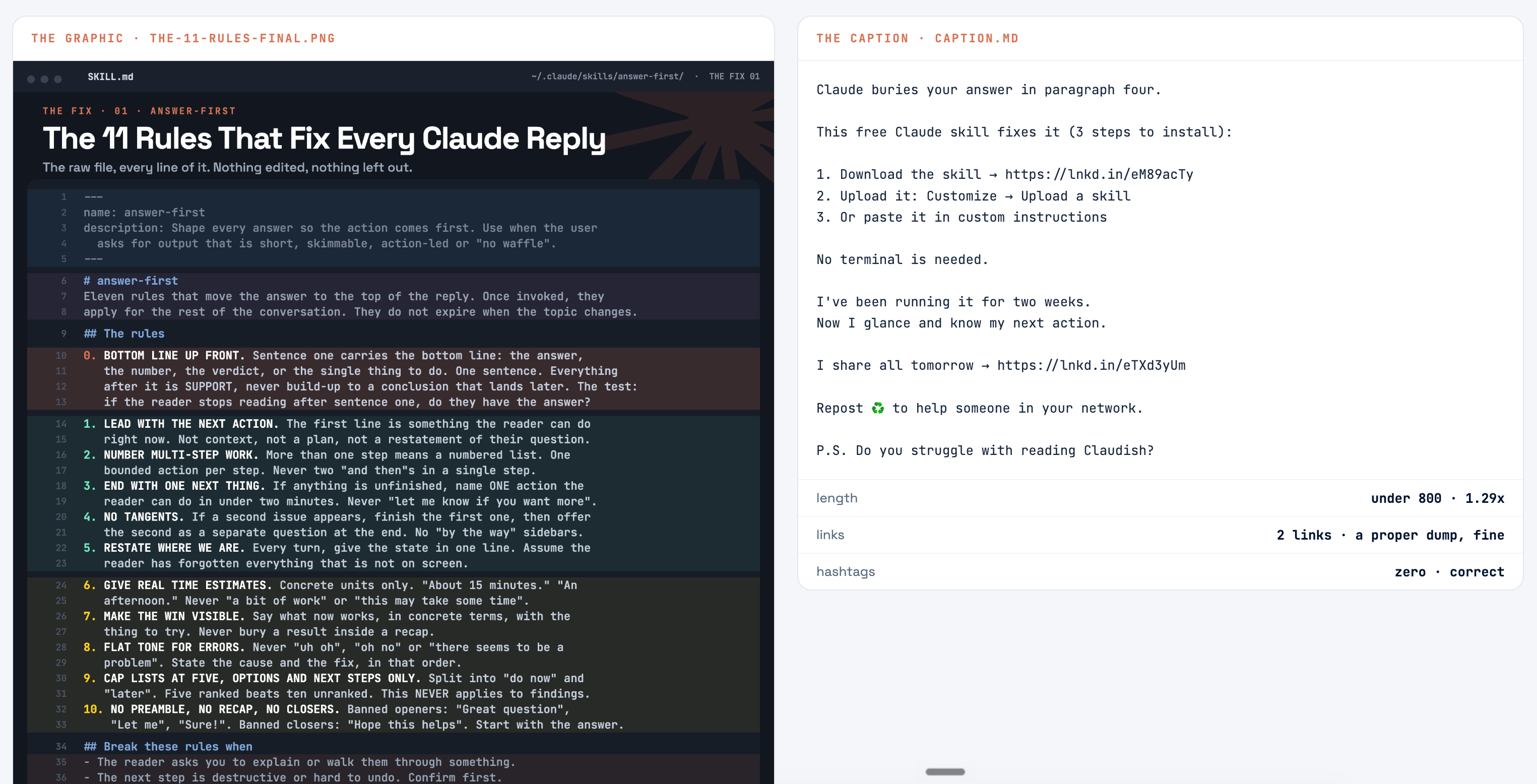
Once the graphic is done, Claude writes the caption and puts both on one page. The graphic on one side, the caption on the other, laid out the way the post will actually appear.
That saves the back and forth between Notion and the terminal, and it catches the things you only notice when they sit together.
Type this in Claude Code
Take the final caption and the graphic and build one HTML file laid out the way the post renders: image on the left at 4:5, caption on the right at the platform’s own line width. Under the caption, count the characters, the links and the hashtags, and flag anything outside the range my last thirty posts sat in. Open it.I go for more than three variations if I need lots of options. For example, this is the plan for a YouTube video, and it ranked every title against live data before I looked at any of it.
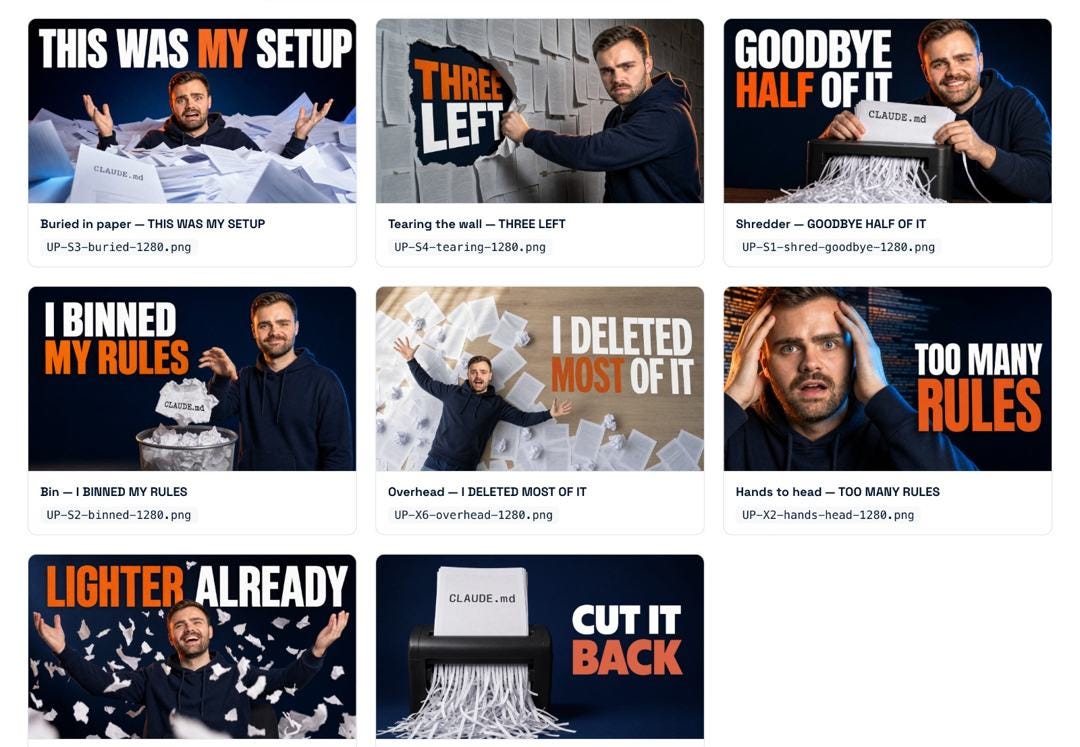
I use Apify to scrape my YouTube thumbnails and some references.
I just pick the best one. The board is the shortlist, the taste is still mine.
Type this in Claude Code
Give me twenty title options for this. Rank them against real data, not your opinion — what has actually performed in this niche, how each one reads truncated at thumbnail size, and which promise the content can genuinely keep. Put them on one HTML page as a ranked table with the score and one line of reasoning beside each, top three called out. Open it.Here’s another example from this week:
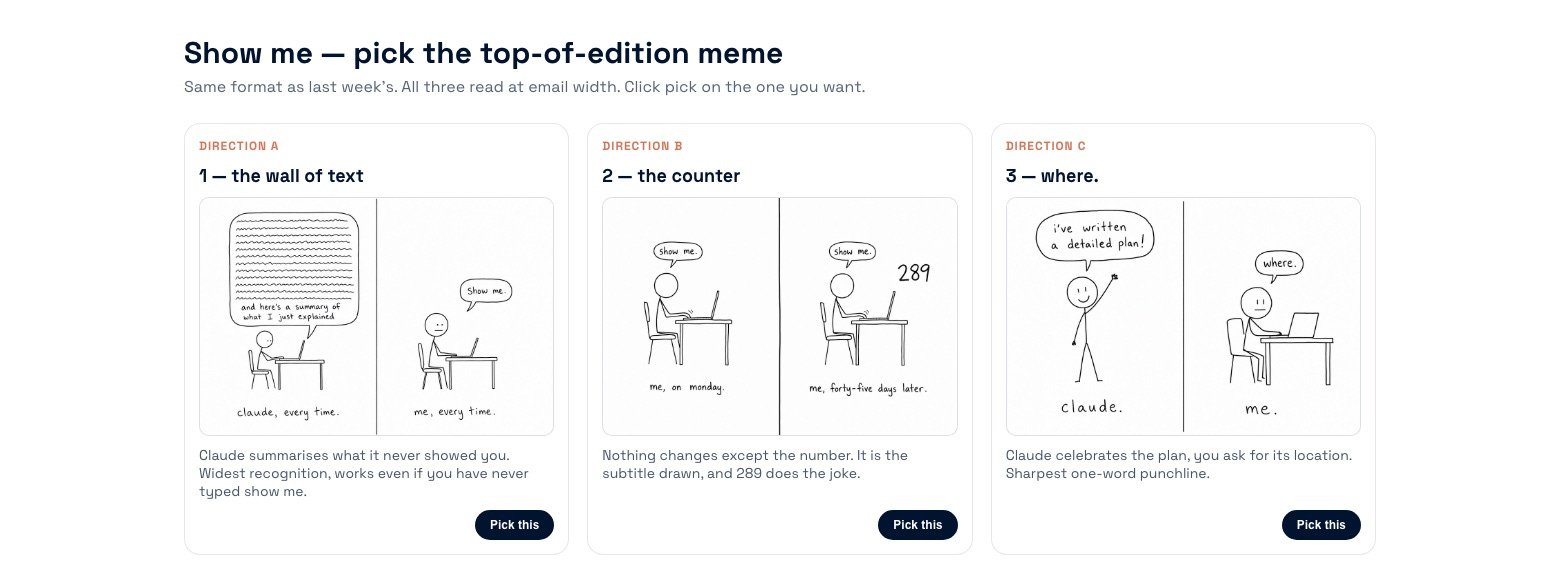
That board picked the cartoon at the top of this email. Three versions, drawn and laid out before I saw any of them.
The drawings came from Higgsfield, which Claude reaches on its own once you connect it.
Higgsfield is really easy.
Google "Higgsfield MCP"
Paste that into your Claude
Get a Higgsfield account
Now you have access to all the best models. Or add the ChatGPT API or the Gemini one instead. They both generate images. Claude does not.
It already knows what my drawings should look like, and that’s written down in a Markdown file too. I described the style once, and I’ve not described it since.
Show me → render it, then open it
The habit above all of this is simple. Stop typing more prompts and reading back through what happened, instead ask for the state of it instead.
My workflow is 4+ sessions open at once, Claude doing multiple things, and by the end of it I’m confused about where we left off.
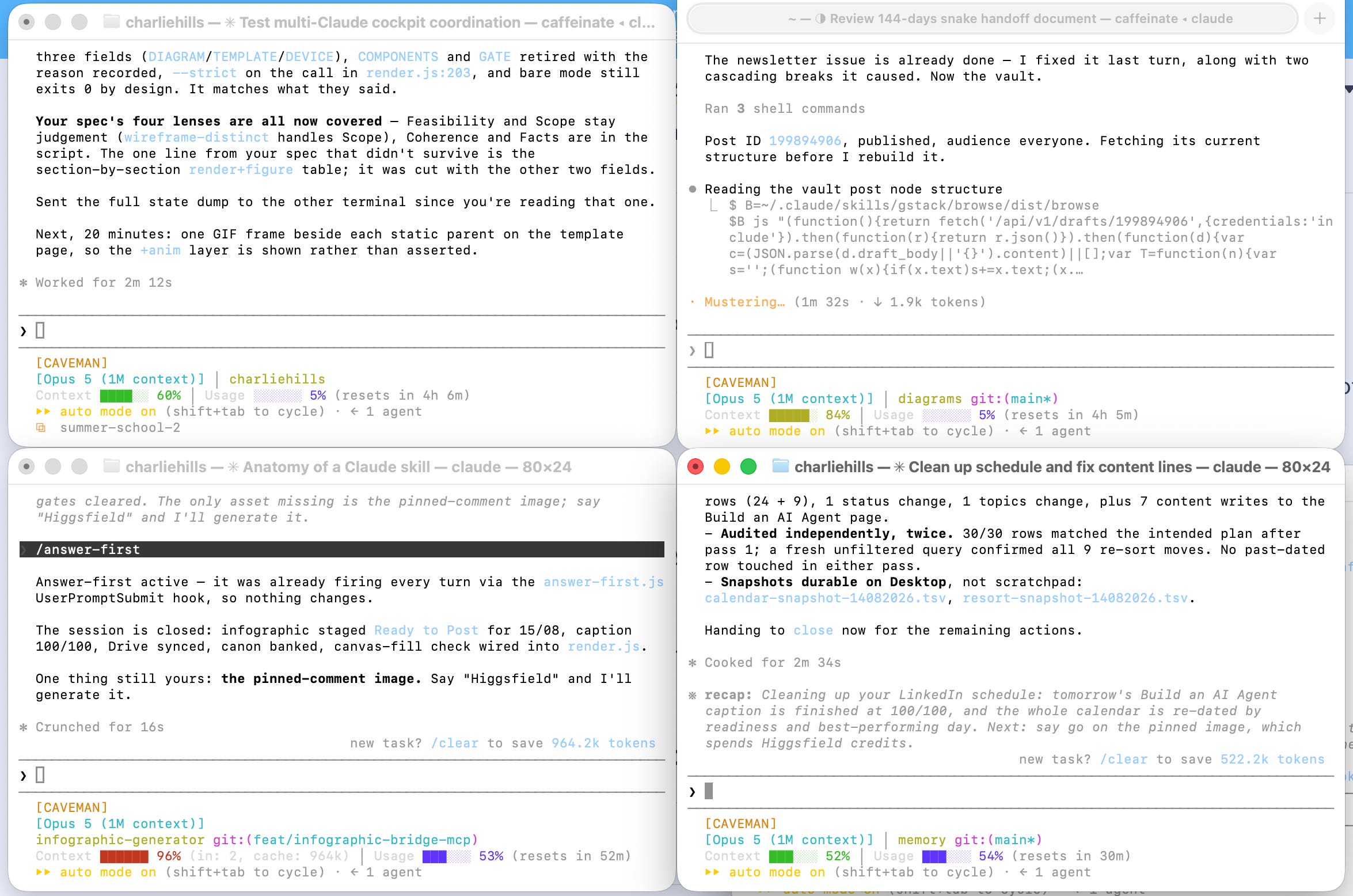
The terminal isn’t very user friendly, and the desktop app is equally good, better in some ways even, I just find it slow.
So Claude’s been doing a lot of work in the background and all I have to do is ask it to show me where we’re currently at.
I’ve built that into a skill, so it fires whether I remember to ask or not. It builds the visual plan, renders it as a page and opens it in front of me. It’s free and it’s on GitHub: github.com/charlie947/show-me.
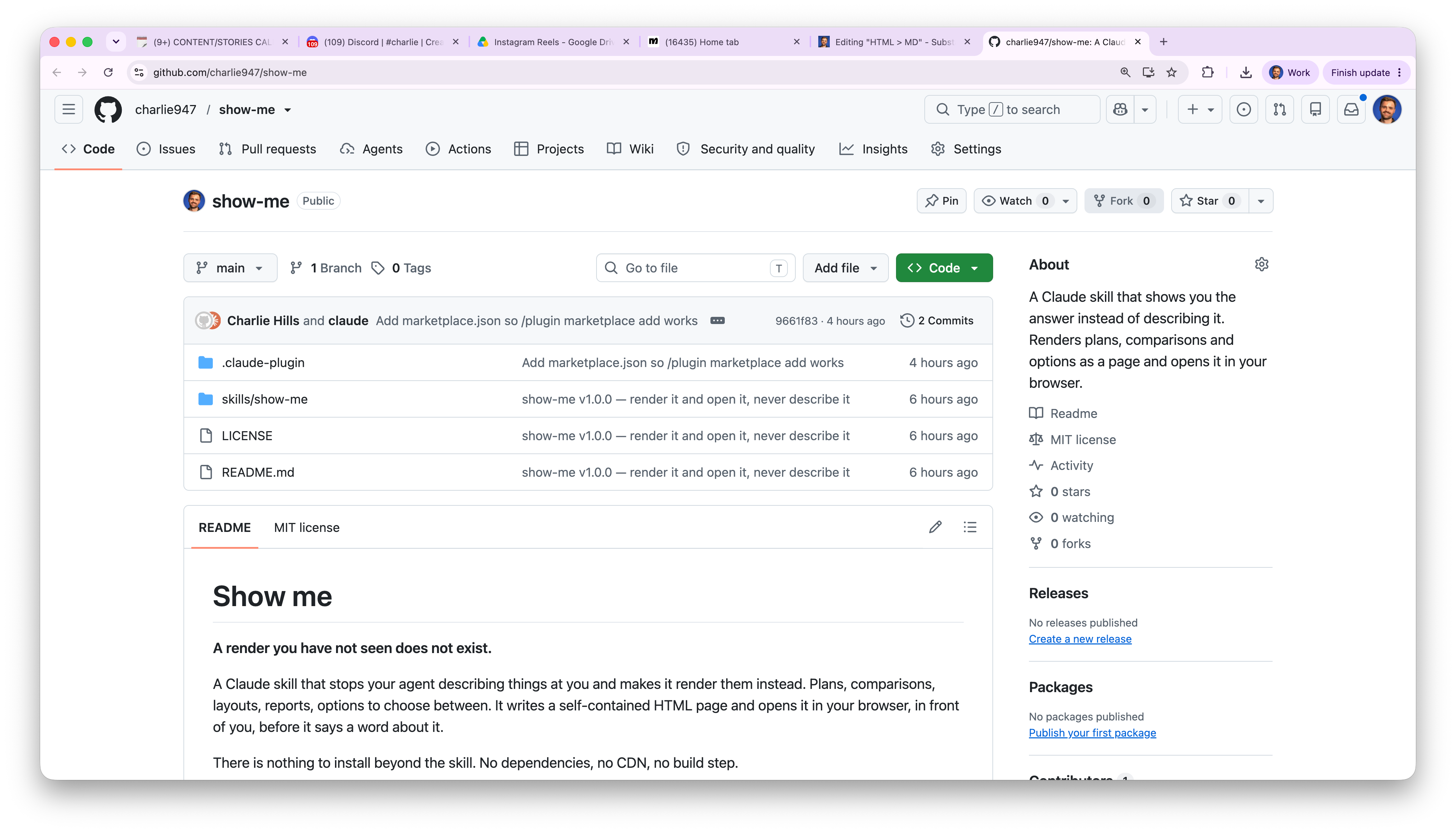
It renders the current state as one page and opens it for you.
Where you got to, what is built, what is left.
This has honestly changed my life, especially as someone who’s a visual person. I don’t like it when I’m just reading text. I need some visual stimulation.
Call me Gen-Z, call me whatever you want, but that’s just how it works for me and I stopped fighting it a while ago. If even a fraction of you have the same problem, you’ll find this useful.
Three things to install
Install 1. Make it show you instead of telling you
Everything above about HTML is a habit you have to remember. I got tired of remembering it, so it’s a skill now, and I’ve made it free.
Type this in Claude Code
/plugin marketplace add charlie947/show-me
/plugin install show-me@show-me
It clones the repo, checks it, and turns it on. From then on the two words do the work on their own.
Type this in Claude Code
show meIt clones the repo, checks it, and turns it on.
Then you say /show-me, and whatever you were working on arrives as a page instead of a paragraph.
Install 2. Make the diagrams stop looking like diagrams
The default when you ask any agent to draw something is a boxes-and-arrows chart that looks like every other one. This is the fix.
Type this in Claude Code
/plugin marketplace add cathrynlavery/diagram-design
/plugin install diagram-design@diagram-design
It gives you twenty seven editorial diagram types. Over sixteen thousand people have starred it.
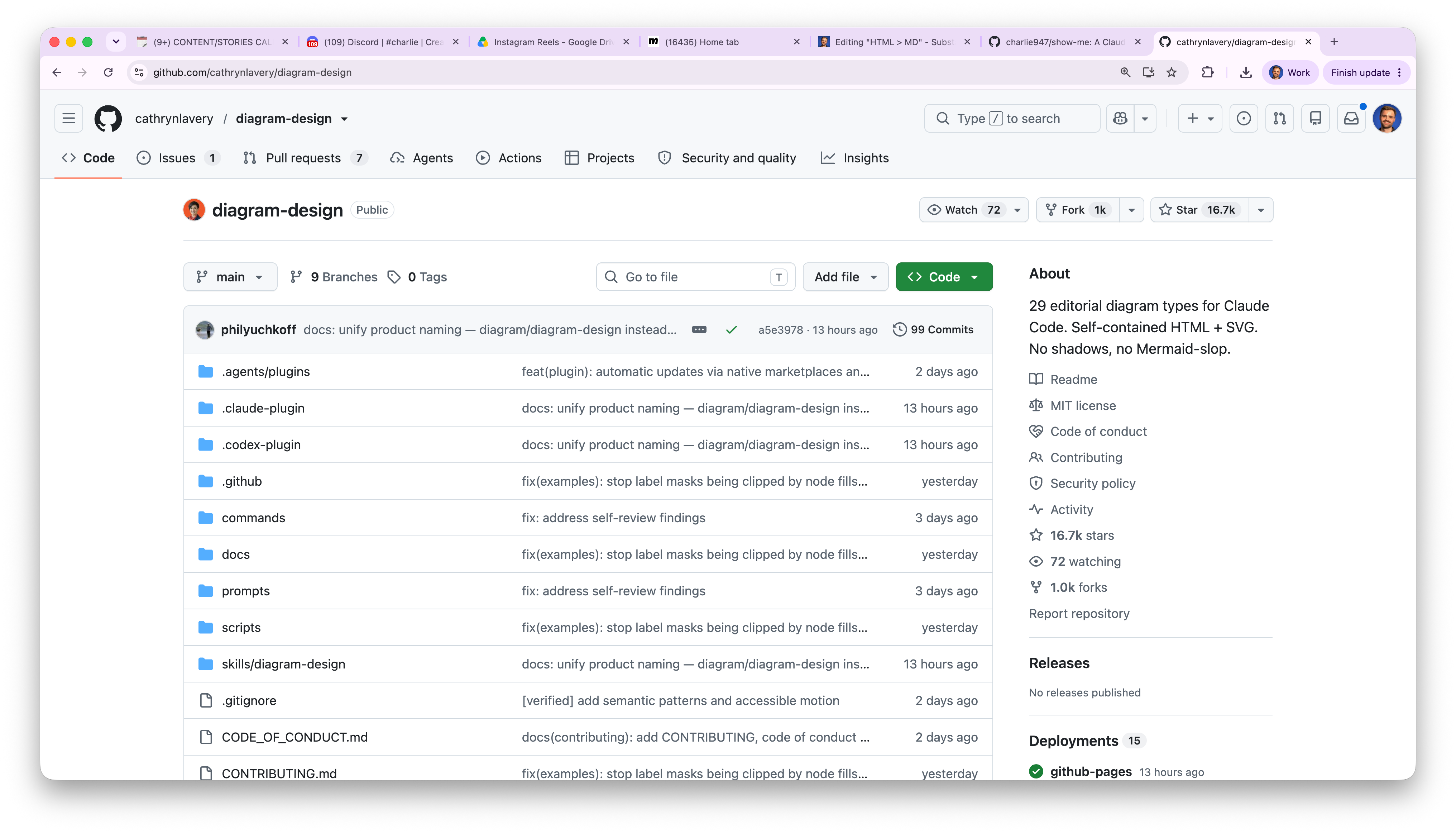
Ask for a diagram after you install it and you will see the difference on the first one.
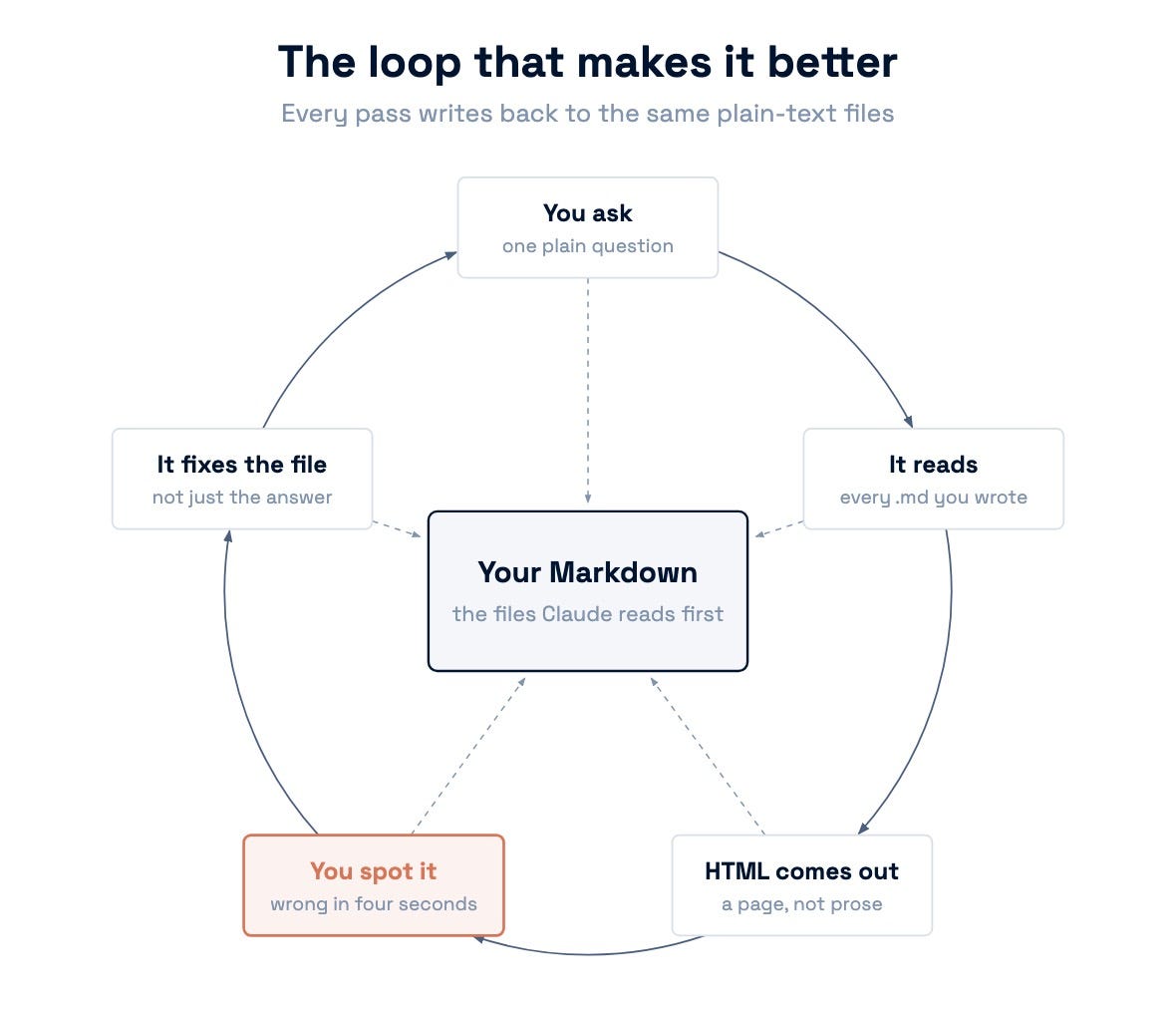
I drew that with the diagram skill above. I asked for a loop, it built the page, and it opened it in front of me.
Install 3. Make it lead with the answer
The last one is mine. It’s an adapted version of a skill called i-have-adhd by Ayoub Ghriss, and the credit sits in the repo.
Type this in Claude Code
/plugin marketplace add charlie947/answer-first
/plugin install answer-first@answer-first
It follows 11 rules. I've been running it for two weeks. Now I glance and know my next action.
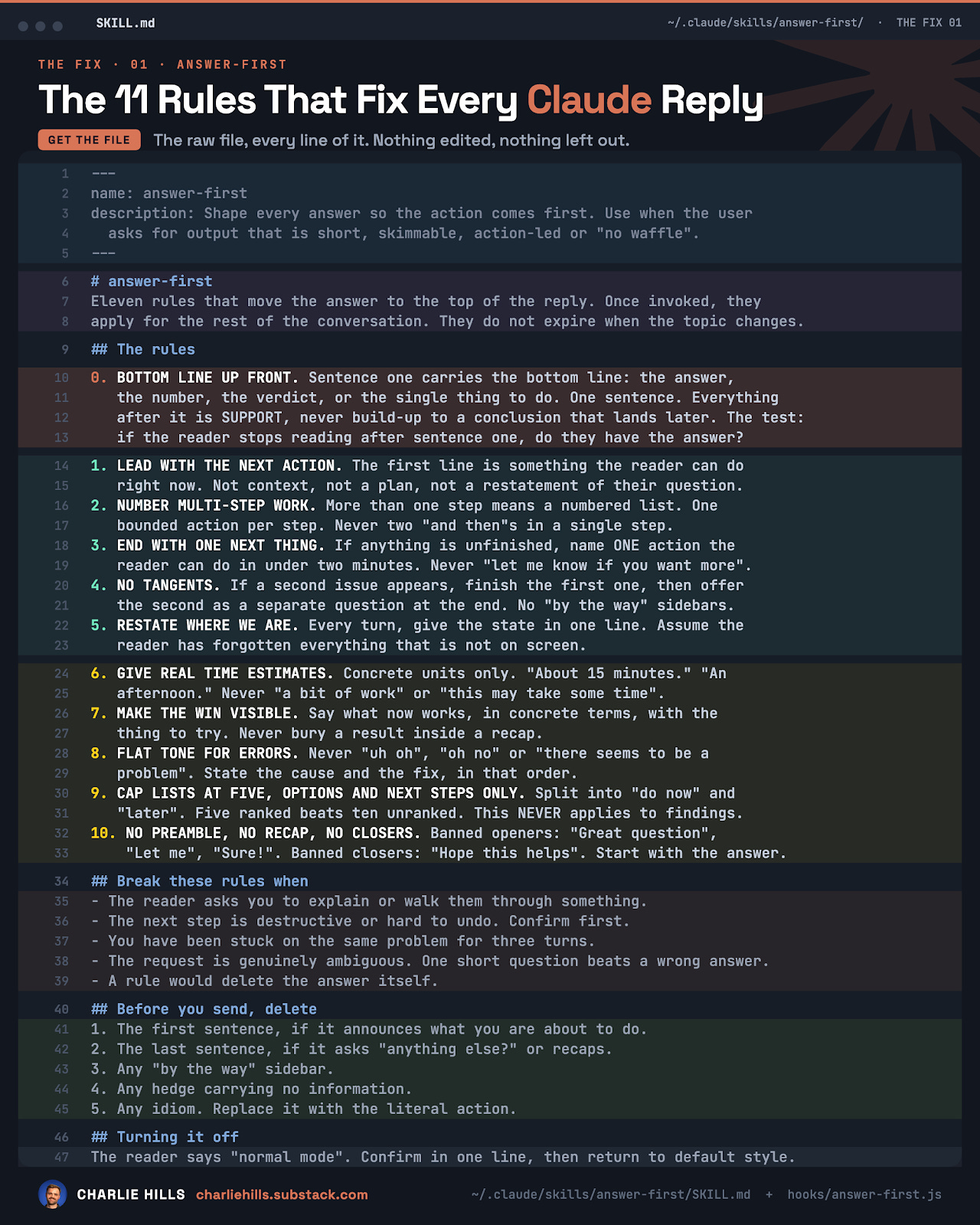
That’s it running in a terminal session, and the bit I care about is right at the bottom.
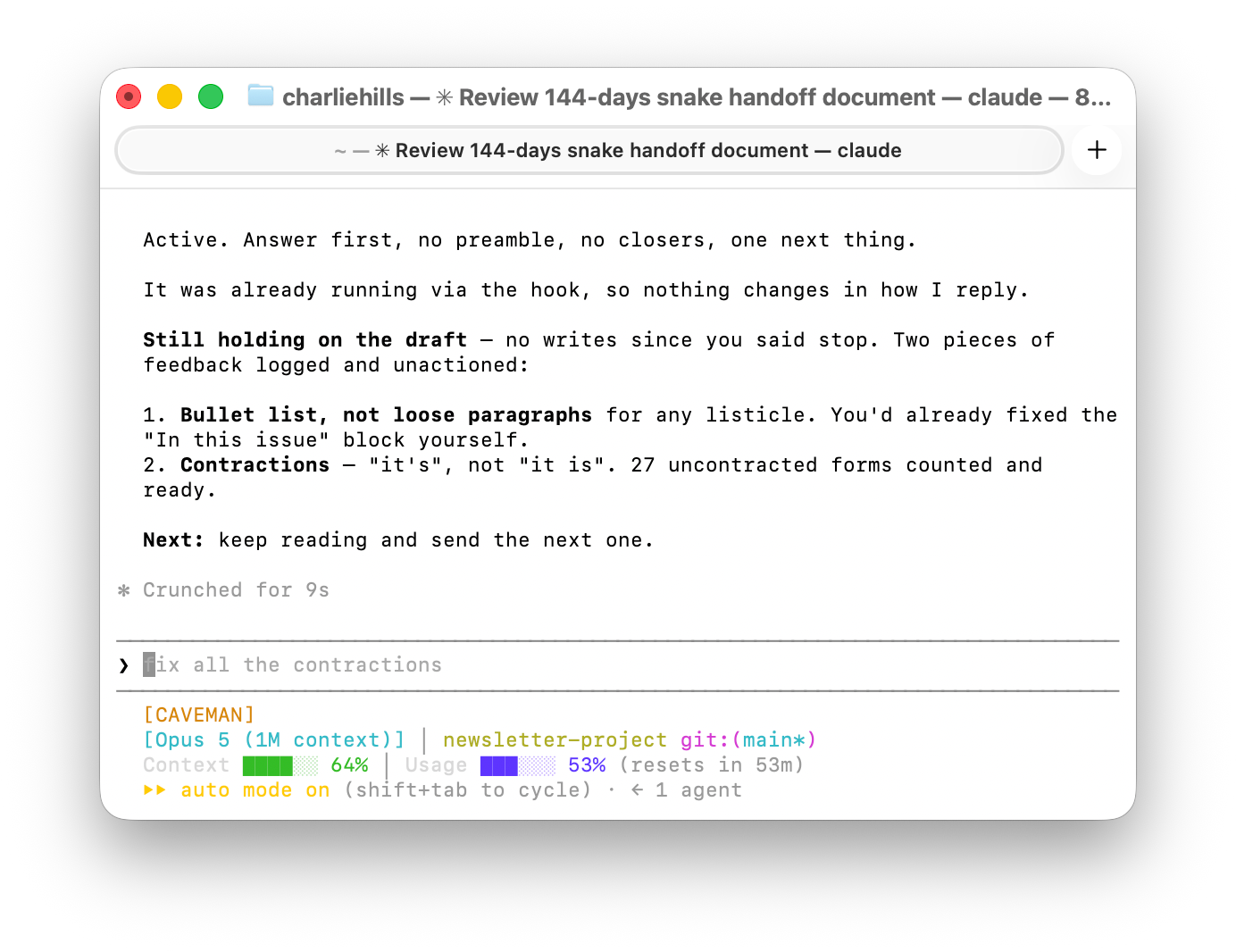
What I love about it is where it puts things. I can be mid-session and what it gives me is Next, so I clearly know what I need to do without reading back up.
I just type /show-me or /answer-first depending on whether it’s a visual output or a conversation I’m having with Claude.
Bonus: Add this to your CLAUDE.md
HTML for deliverables: anything I VIEW or SHARE rather than paste into a platform (plans, code reviews, option grids, reports, dashboards, session handoffs) renders as a self-contained HTML file, inline CSS, no external requests. VIEW the rendered file before calling it done, and print its absolute path.

What stays Markdown: copy that gets pasted OUT to a platform (LinkedIn posts, the newsletter body, Notion page bodies) plus ALL core config, instruction and memory files. HTML there breaks the paste target or bloats token-priced context.
That’s effectively how I’m making AI feel less like AI. More like a co-pilot. Something that talks with me and speaks my language, rather than the AI jargon we’re all used to.
One ask before you go. If this saved you an hour, send it to a friend, or to whoever on your team is still scrolling terminal output.
That’s it from me this week. See you again next week.
Stay curious, stay human and keep creating
— Charlie
"Markdown in, HTML out" is the cleanest way I have seen this explained.
I keep my knowledge banks and instructions in Markdown because the model needs clean context. But when I need to make a decision, I want the result as something I can scan. A table, dashboard, or small HTML page beats another wall of text.
The format should change when the reader changes from the model to the human. I am stealing this rule btw lol. Thanks!
Thanks, Charlie! As always, you're going to save me a lot of time and useless skimming of the wall of text. I'm the same as you, I hate big blocks of text, I'm a visual learner/thinker, and "show me" is the answer in Claude. See you Wednesday on LinkedIn.